
Fridge Management for College Students
- Role
- Product Designer
- Team
- Solo Passion Project
- Timeline
- Oct 2025 - Nov 2025
- Tools
- Figma
- FigJam
Problem
Too much food. Too little memory.
Expired and uneaten food.
You can only imagine how a disorganized fridge would look with four guys. Over time, our fridge became a cluttered mix of half-used sauces, buried leftovers, and expired produce we swore we’d eat.
145 lbs
of food waste generated per college student annually
58%
of university students report discarding food once a week
52%
of young adults discard food they forgot about in the fridge
Solution
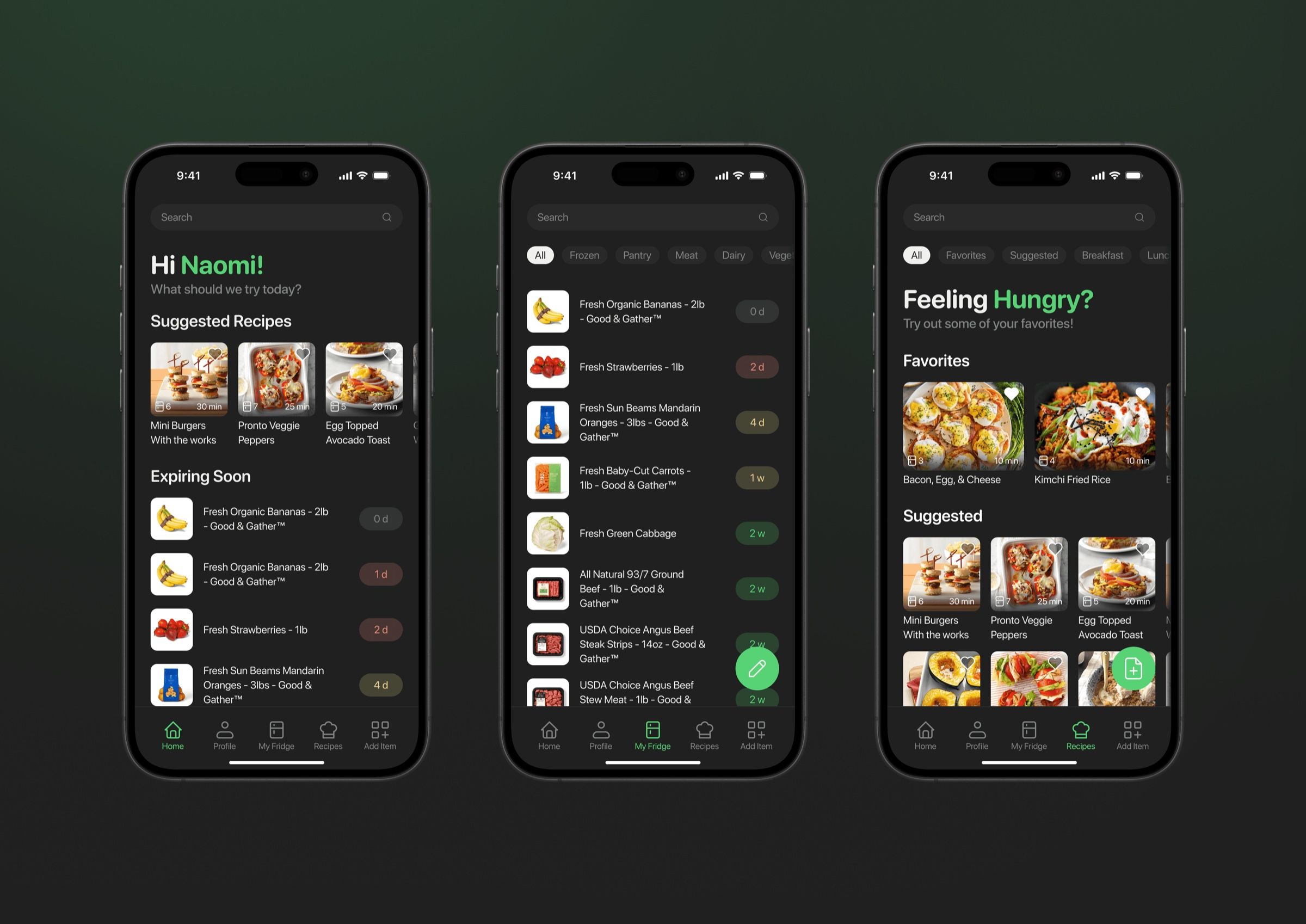
Introducing Fridgy, your friendly fridge buddy.
Get recommendations on what to cook.
Fridgy solves the daily decision loop by putting recipes and expiring items front and center, giving students a fast way to figure out their next meal.
Easily manage your fridge.
Fridgy simplifies upkeep with intuitive swipe gestures for small edits and an edit mode for bulk clean-ups.
No barcode? No problem.
Fridgy uses barcode and receipt scanning to give students an easy, flexible system for adding groceries, whether it’s one item or a full bag.
Research
How do students mismanage their food?
I conducted interviews with students who cook frequently and did an analysis of existing pantry and cooking apps. This helped me explore how students manage groceries, cooking routines, and food tracking in their daily lives.
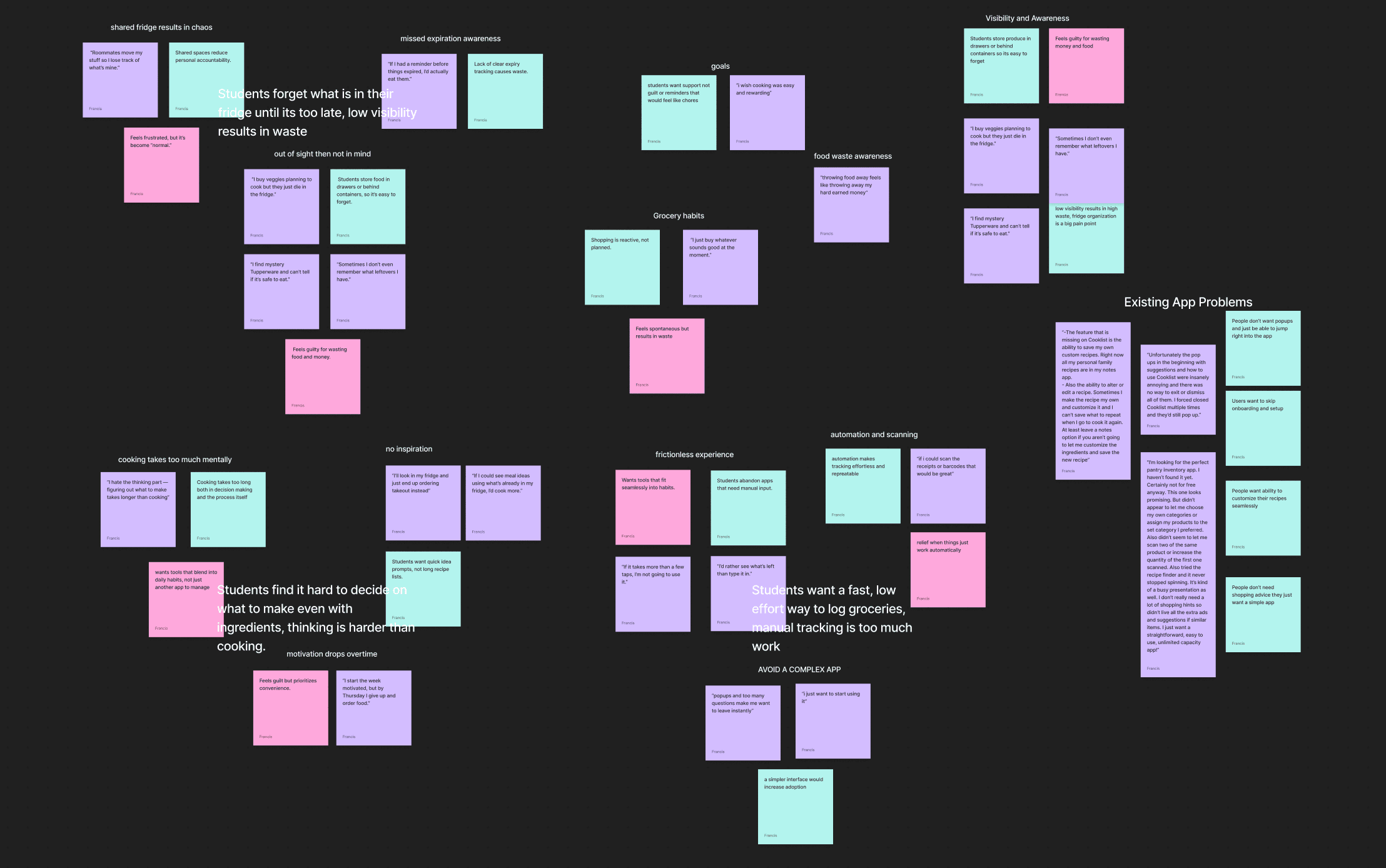
My research resulted in a few guiding patterns.
Across interviews and surveys, clear patterns emerged in how students shop, store, and use their food — revealing the core problems that shaped the direction of this project.
“Roomates move my stuff so I lose track of what's mine”
“I'll look into my fridge and just order food instead”
“If I could scan the receipts or barcodes that would be great”
Why existing apps don’t fit students.
While apps like Cooklist and Pantry Check have strong features, students found them too complex, too time-consuming, and not worth a monthly subscription. This gap highlighted the need for something simpler and faster.
| Student Need / Pain Point | Cooklist | Pantry Check | Fridgy |
|---|---|---|---|
| quick entry | Yes | Yes | Yes |
| pantry based recipes | Yes | No | Yes |
| bulk add | Yes | No | Yes |
| student focused | No | No | Yes |
Design
Crafting a stress free fridge experience.
Focusing the goals of the app.
The app is for:
- tracking what’s in your fridge, freezer, and pantry
- knowing what’s expiring soon
- finding recipes based on what you have
The app is not for:
- full grocery list planning
- tracking your calories and diet
- meal planning beyond more quick recipes
Fridge inventory component iteration & first user testing.
Through multiple iterations and user testing, I refined the inventory into a layout that felt effortless to interact with. I landed on a universal item card—image, name, and expiration days- for all pages.
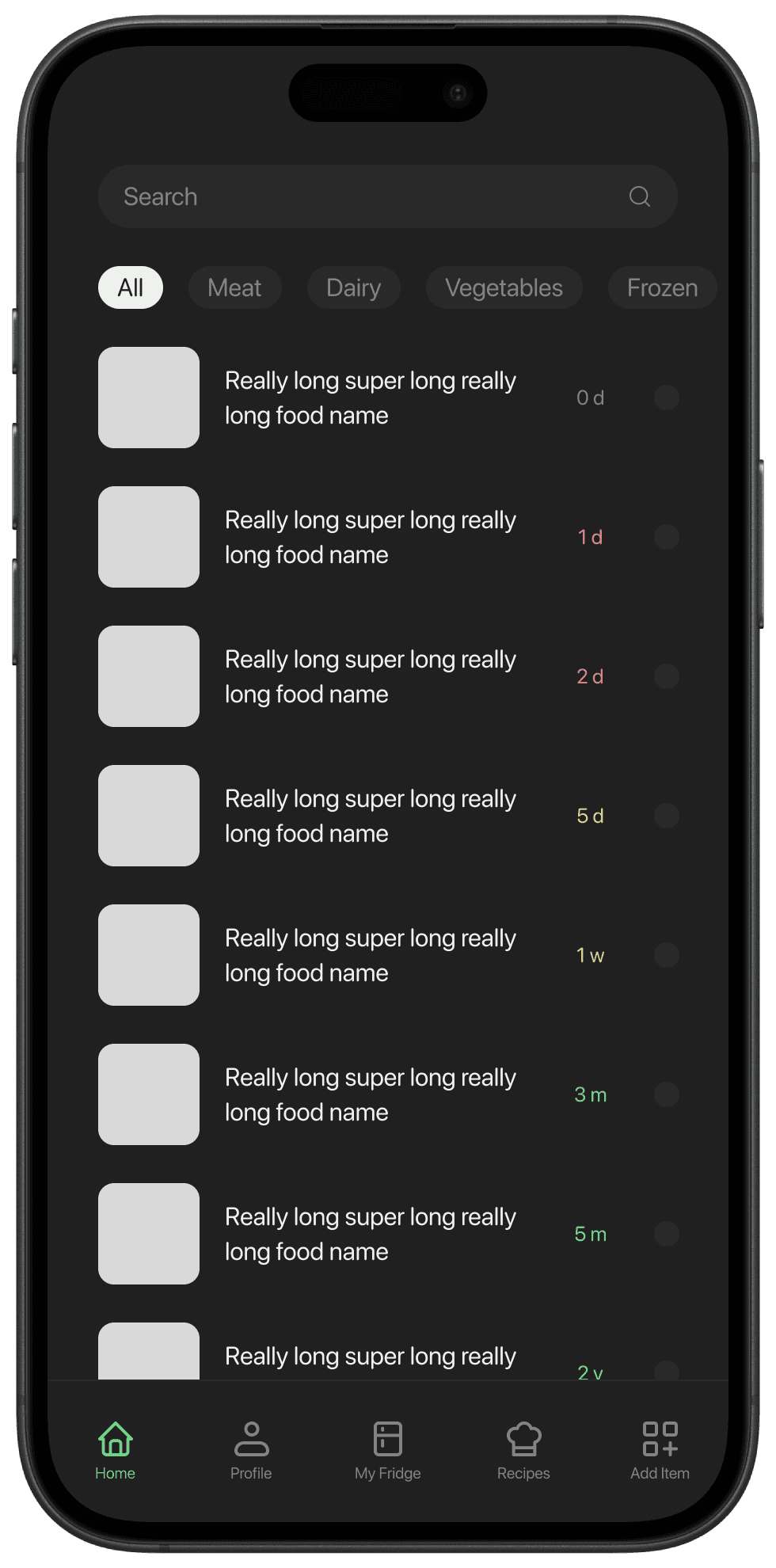
Initial Iteration:
- high risk of accidental selection when swiping
- expiration labels visually misaligned
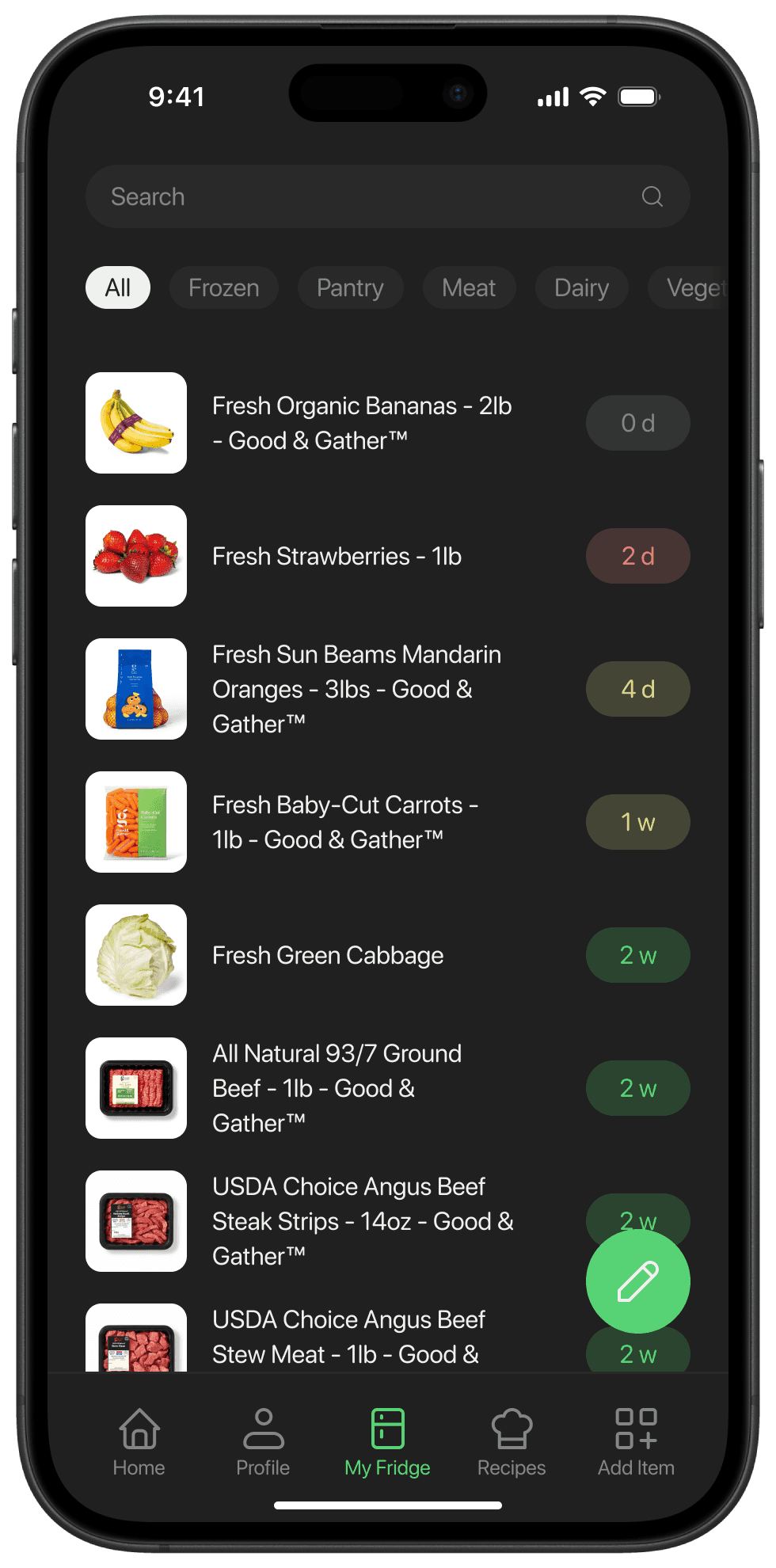
Final Iteration:
- spatial grouping to reduce visual clutter
- elements are all visually aligned
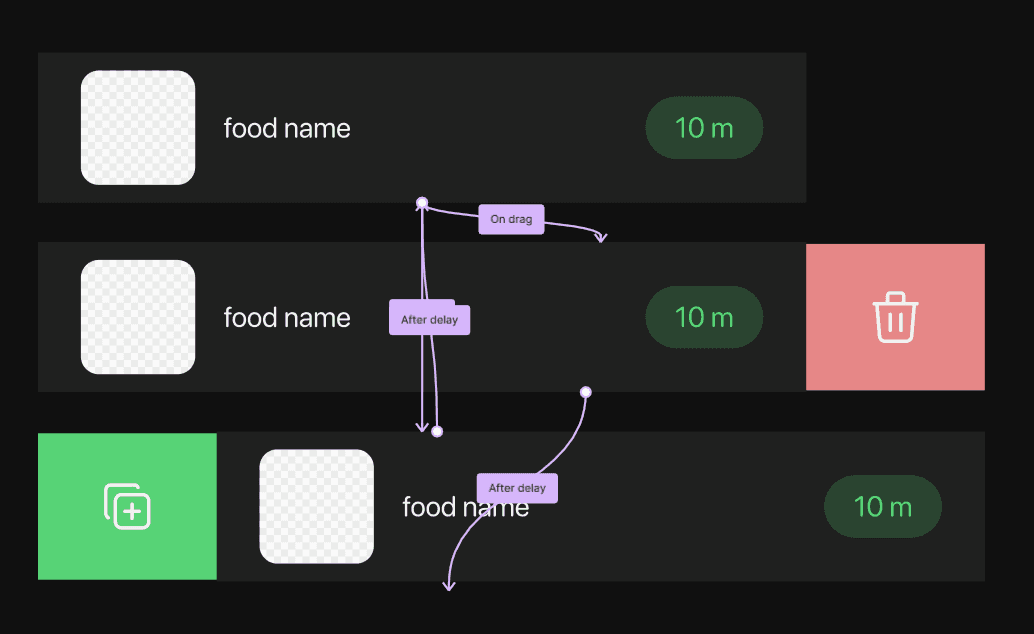
Swipe Gesture Editing.
I tested several interaction patterns and chose simple swipe gestures to keep edits quick and directly on the list. You would swipe right to remove an item, and swipe left to duplicate or replenish it.
User Testing:
In user testing, these gestures quickly became second nature and made edits faster than menu based options
A problem arises with bulk editing.
Further user testing showed that while swipes worked for quick edits, they were too slow for bulk changes. That insight sent me back to prototyping new iterations to better support larger actions.
Early Iteration:
- No indication of edit mode
- no bulk edit options
Final Iteration:
- indicates user is in edit mode
- variety of category selections for bulk edit mode
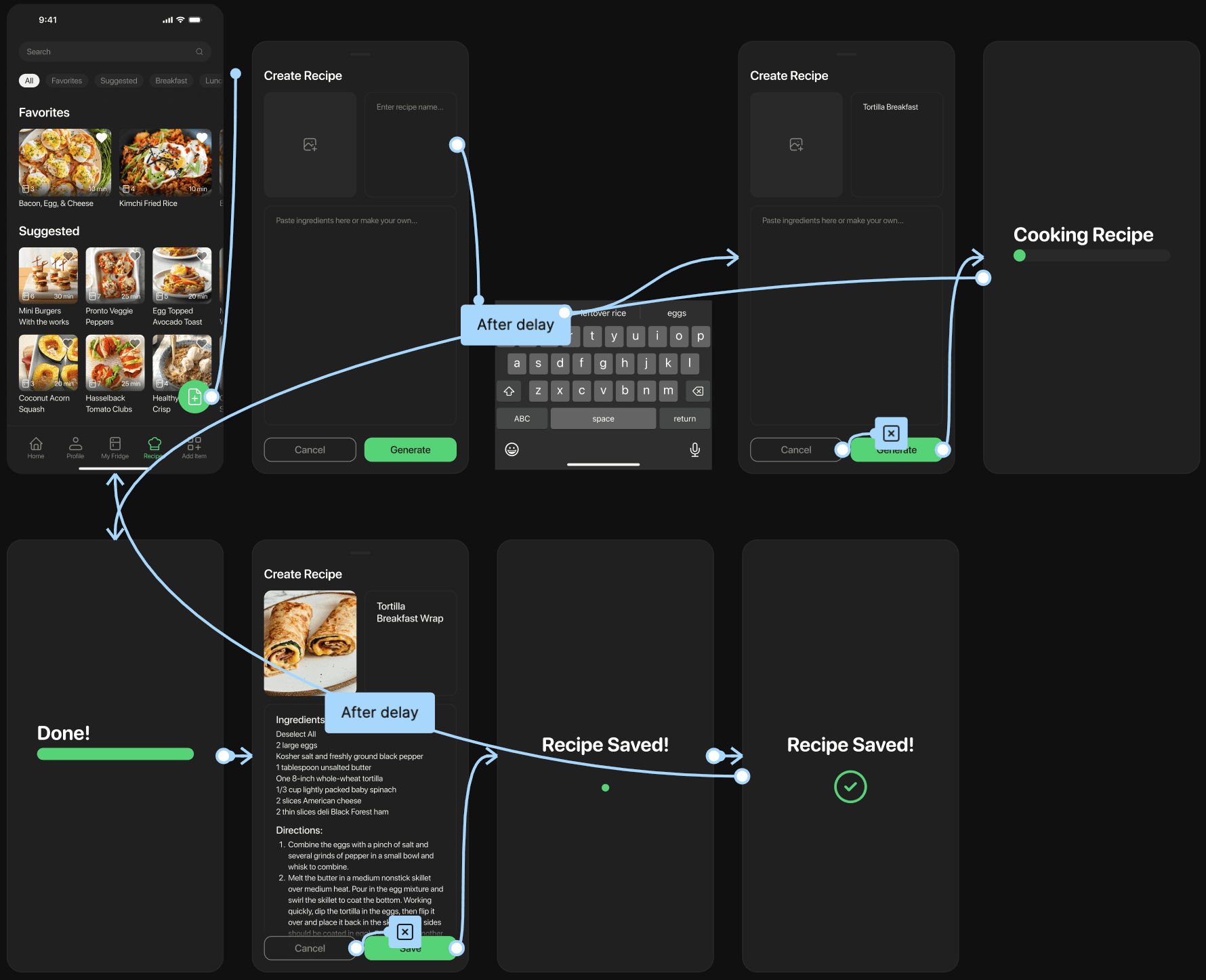
Letting students bring their own recipes to life.
I wanted the custom recipe feature to feel easy and flexible—whether students had a full recipe or just a photo. I explored different layouts and tested how the AI should respond in real time to keep the flow feeling quick and natural.
Design:
- Only three essential inputs: image, recipe name, and steps
- Used a gray image box and light-bordered text fields to make inputs immediately recognizable
- Combined steps and ingredients into one field to avoid unnecessary complexity
Barcode scanning & custom input.
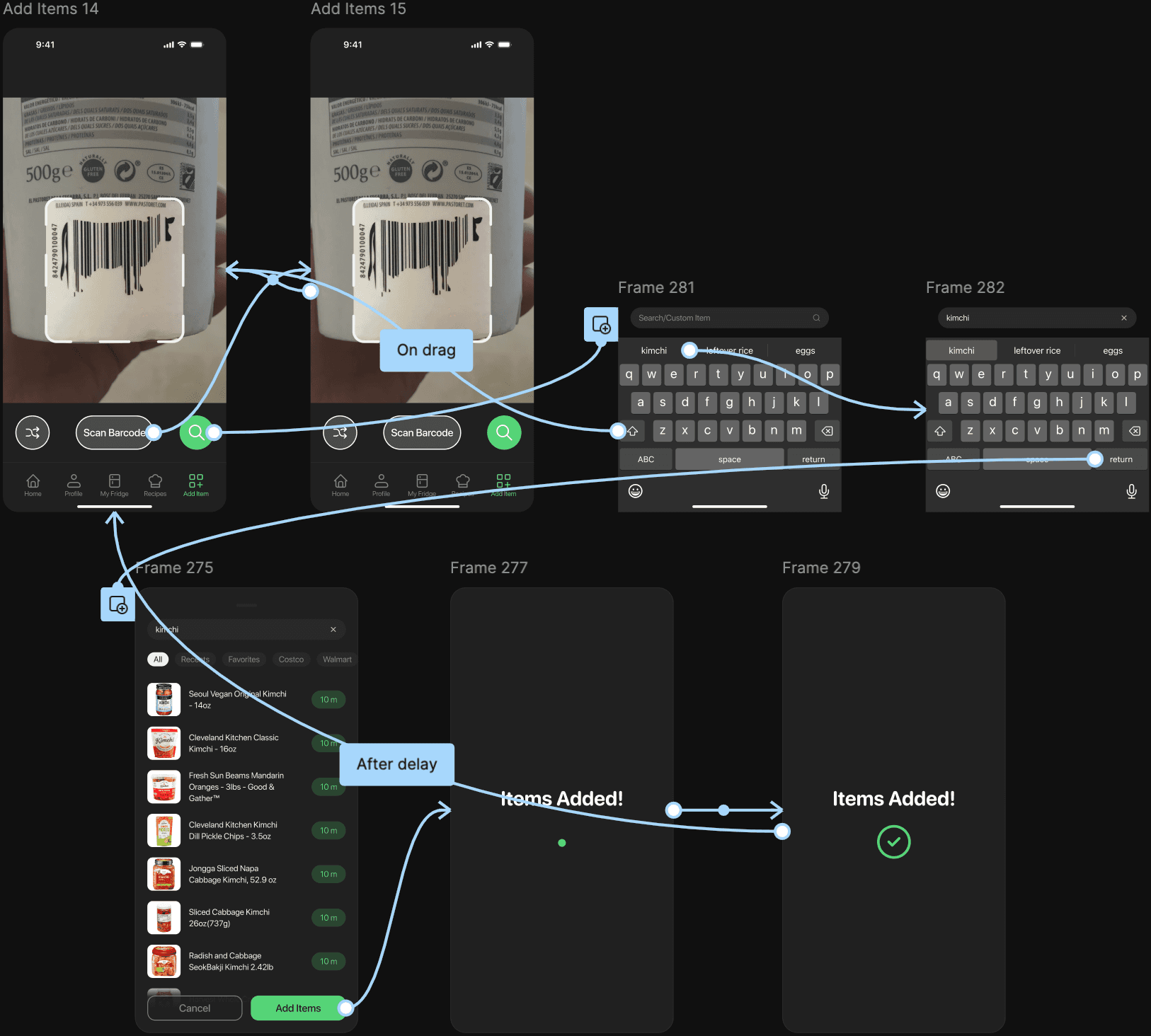
From the student interviews, I deduced that adding items needed to feel fast and flexible. Students restock groceries in a rush, and anything that slows down input makes the app feel like extra work.
Design:
- Separated scanning and manual entry to reduce cognitive load
- Placed both actions in the thumb zone after reachability testing
- Streamlined custom-item entry so users never hit a dead end
One final problem, scanning items is too slow.
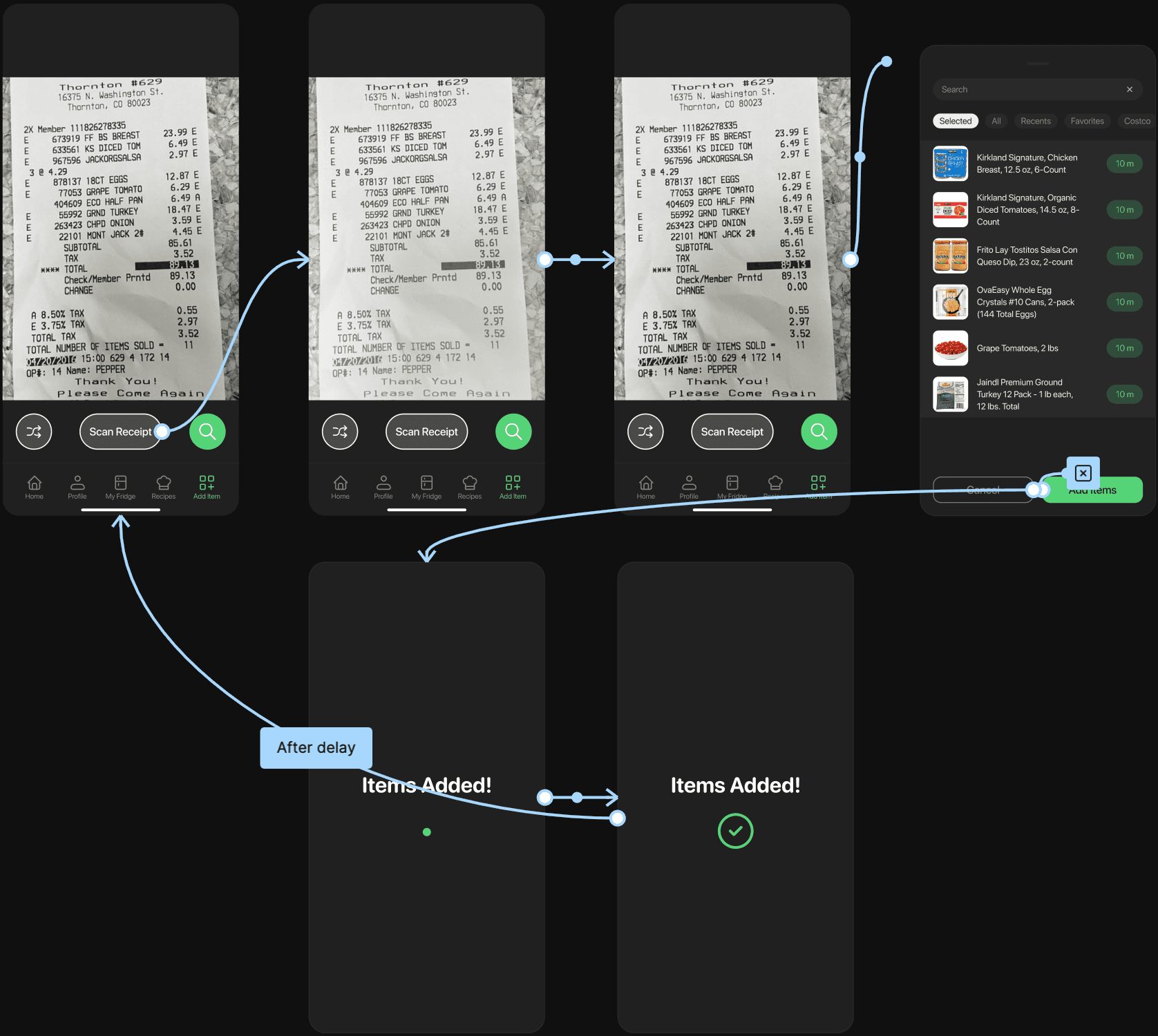
Testing showed that while barcode scanning worked for a few items, it became tedious for a full haul—like checking out all over again at home. So I shifted to something every shopper brings back: the receipt.
Design:
- Designed around the familiar action of taking a picture.
- Routed receipt results into the same Add Items UI, with items preselected so users can quickly review or edit
- Kept the UI consistent with the barcode scanner to maintain a cohesive system
Reflection
What I learned building Fridgy.
Design isn’t linear. There were many times when where I had to iterate countless times before coming up with something that could be tested. Which leads to the second thing I learned from this project, which is to keep on iterating because sometimes a solution may seem good in thought but bad in practice.
If I had more time.
- smarter recipe suggestions based on cooking history, dietary needs, and ingredient patterns.
- collaborative tracking for roommates to reduce duplicates and confusion over who owns what.
- detecting partial amounts and adjusting recipe suggestions based on what’s actually left.
- subtle, context-aware nudges for items that are approaching expiration or commonly forgotten.